Why Are My Outdoor LED Street Lights Flickering 7 Tips?

Time:2026-10-29 Author:Ethan
0%

A streetlight should cast a steady pool of light across the pavement. When it pulses, dims, or briefly goes dark, the cause may sit inside the fixture—or upstream in its power supply. If you are asking, “why are my outdoor LED street lights flickering,” begin with observation, not guesswork. Note whether the flicker affects one light or several, and whether it changes in rain, wind, or at a particular time. Small details matter.

Lighting scientist Dr. Naomi Miller has studied flicker and lighting performance. A careful paraphrase of her work is: flicker is a change in light output that should be assessed, not dismissed as a minor annoyance. It is not a diagnosis. A worn LED driver, loose connection, incompatible dimmer, or unstable supply can produce similar symptoms. Look for patterns before replacing parts. If wiring is exposed or the fixture is mounted high, leave inspection to a qualified electrician.

The seven tips ahead will help narrow the possibilities, from checking controls and connections to considering heat and driver failure. They are practical checks, not a promise that every fault can be fixed at home. Some causes are less obvious than they seem. That is worth remembering. A light that steadies after a reset may still have an underlying problem, so record what changed and when.
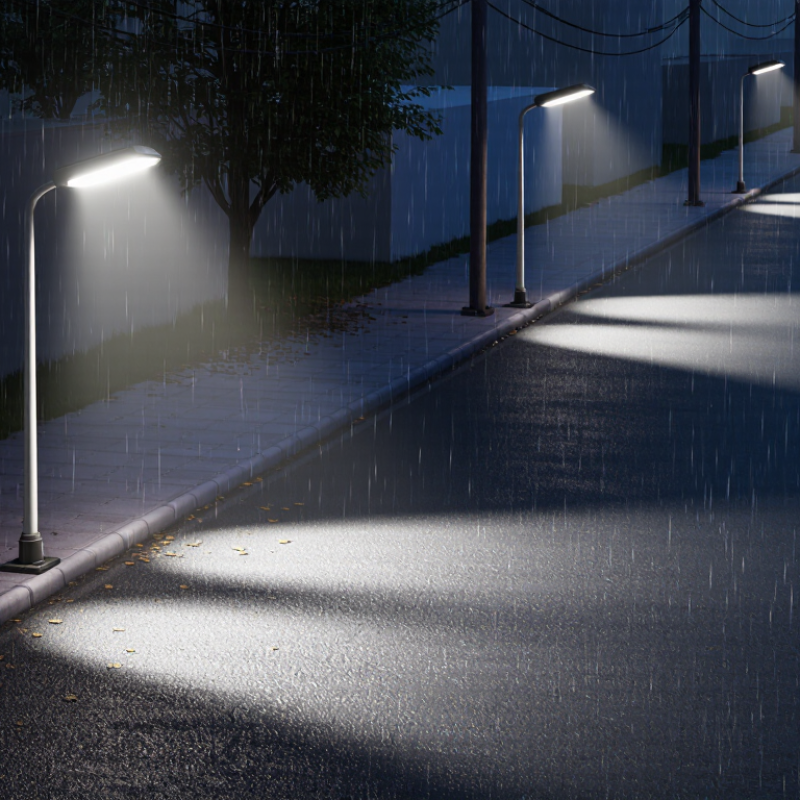
Why Are My Outdoor LED Street Lights Flickering 7 Tips?

Understanding the Main Causes of Outdoor LED Street Light Flicker

Outdoor LED streetlight flicker often signals unstable power, a failing driver, or incompatible controls. Not the chip alone. A loose neutral, corroded connector, or voltage drop can interrupt current and make a lamp pulse or dim.

After rain, look for moisture marks around seals, but never open energized equipment. If flicker changes with wind or vibration, a connection may be loose and needs prompt inspection.

The driver regulates current, and heat can wear its components over time. Photocells, dimmers, or networked controls can also cause repeated cycling when settings or components are incompatible. Measure, don’t guess.

IEEE Std 1789-2015 recommends keeping modulation below 0.08 times frequency, expressed as a percentage, for frequencies from 90 to 1,250 Hz; at 100 Hz, that benchmark is 8%. It is guidance on lighting modulation, not a diagnosis of a failed fixture.

A qualified technician can check voltage, driver output, wiring, seals, and control settings.

Phone videos can exaggerate flicker because camera shutters interact with LED modulation. Note when it happens, recent weather, and whether nearby lamps flicker too.

Checking the Power Supply, Wiring, and Connections

Outdoor LED street lights often flicker when the driver receives unstable power or a connection intermittently opens. Start with the supply: note whether nearby lights dim at the same time, and ask a qualified electrician to check voltage under load. A shared dimming pattern can point toward an upstream supply issue, though it does not prove one. Look closely. Loose terminals, corroded splices, and water inside junction boxes can interrupt current, especially after rain or temperature swings. Never open an energized fixture; outdoor circuits can remain hazardous even when the lamp appears dark.

Inspect wiring and connections for heat discoloration, cracked insulation, moisture, and loose strain reliefs. The driver’s input and output connections deserve attention too. A flicker that persists in one fixture may indicate a failing driver, but replacing parts before checking supply voltage can miss the real fault. IEEE Std 1789-2015 sets a low-risk modulation guideline of less than 0.08 times frequency below 90 Hz; at 60 Hz, that is 4.8 percent. This is a lighting-flicker guideline, not a pass/fail test for a street light. Do not guess. Record when flickering occurs, then have a qualified technician measure voltage and inspect connections with power safely isolated. A single loose neutral can look deceptively ordinary.

Inspecting LED Drivers, Photocells, and Control Systems

Outdoor LED street lights often flicker because the driver cannot deliver steady current. Heat, moisture, or aging components may cause the output to pulse, especially after the fixture warms up. A technician can check the driver’s input and output readings against its specifications. Loose connections can also interrupt power. Do not open an energized fixture; outdoor lighting circuits should be inspected by a qualified professional.

Photocells and control systems deserve attention, too. A photocell aimed toward a nearby lamp may repeatedly switch the light on and off as brightness changes. Dirt, water intrusion, or a failing sensor can create similar symptoms. Check whether flickering follows dusk, passing headlights, or wet weather, and record when it happens. Patterns help narrow the cause. Not always, though.

If several lights flicker together, the issue may sit in a shared control circuit, dimming signal, or supply connection rather than in each fixture. Confirm that the controller and driver are compatible, and review schedules or dimming settings for abrupt changes. A careful inspection may take longer than swapping parts, but it avoids guesswork. Sometimes the first clue is simply that one pole behaves differently.

Why Are My Outdoor LED Street Lights Flickering? 7 Tips for Inspecting LED Drivers, Photocells, and Control Systems

Tip Possible Cause What to Check Practical Next Step
1. Inspect the LED driver A failing or incompatible driver can produce visible flicker, pulsing, or intermittent operation. Note whether flicker is constant, occurs after warm-up, or affects only one fixture. Have a qualified technician check driver condition and compatibility with the LED module and controls. Replace a confirmed faulty driver with a correctly rated, compatible unit; do not open an energized fixture.
2. Check the photocell A failing, incorrectly oriented, or repeatedly shaded photocell may switch the light on and off around its light-sensing threshold. Look for nearby light sources, foliage, dirt, or objects casting moving shadows over the sensor. Observe whether switching happens near dawn or dusk. Clean or reposition the sensor if appropriate, and have a technician test or replace it if cycling continues.
3. Review dimming and control settings Control protocols or dimming levels that are not compatible with the driver can cause unstable light output. Check control schedules, dimming commands, and recent configuration changes. Record whether flicker occurs at a particular brightness level or time. Ask the lighting-controls technician to verify settings and driver compatibility before changing system-wide programming.
4. Look for moisture or condensation Water entering a fixture or electrical enclosure can corrode connections and cause intermittent operation. From the ground, look for a cracked lens, damaged seals, unusual condensation, or visible water marks. Do not touch wet electrical equipment. Arrange inspection by a qualified electrician; damaged seals or enclosures should be repaired before the light is returned to service.
5. Check connections and wiring A loose, corroded, or damaged connection can interrupt power and create flicker, especially when the fixture or pole is affected by vibration. Note whether flicker follows wind or vibration, or whether multiple nearby lights are affected. Wiring inspections require suitable isolation and qualified personnel. Have an authorized electrician inspect and secure or repair connections using the required electrical-safety procedures.
6. Compare nearby lights and supply conditions If several lights flicker together, the issue may involve a shared circuit, supply disturbance, or control-system fault rather than one fixture. Record which lights are affected and whether other equipment or street lights show symptoms at the same time. Electrical measurements should be made by qualified personnel. Report a group-wide pattern to the lighting or utility maintenance team for circuit and supply checks.
7. Consider driver or LED-module aging Worn components, heat stress, or repeated exposure to harsh weather can make an older fixture operate intermittently. Check the maintenance history, fixture age, and whether the problem persists after control and connection issues have been ruled out. Ask a lighting professional to assess the driver and LED module and compare repair with replacement. Keep a record of the fault and any work performed.

Safety note: Street-light equipment can contain hazardous voltages and may be mounted at height. Do not climb poles, open energized fixtures, or handle exposed wiring. Report faults to the responsible maintenance team or a qualified electrician.

Following Seven Steps to Diagnose and Reduce Flickering

Why Are My Outdoor LED Street Lights Flickering? Seven Steps to Diagnose and Reduce Flickering

Street-light flicker can come from unstable supply voltage, loose connections, a failing LED driver, or incompatible dimming controls. Start by noting when it happens: at startup, during rain, or when nearby equipment switches on. IEEE 1789-2015 provides frequency-dependent guidance for measuring light-output modulation; it does not identify a fault by itself. A flicker meter is more useful than a phone video, which can show misleading bands.

Tips
1. Compare the light with nearby fixtures.
2. Record the time and weather.
3. Check whether other lights on the same circuit flicker.
4. Have a qualified electrician measure supply voltage and inspect connections.

Turn power off before any inspection; wet junction boxes and corroded terminals deserve attention. Small details matter.

5. Ask the electrician to assess the LED driver for heat damage or failure.
6. Check that dimming controls match the fixture.
7. Measure flicker with suitable equipment and log the result before replacing parts.

Replace damaged seals or connectors promptly. One weak point in diagnosis: flicker may be intermittent, so a single daytime check can miss it. Keep a short log.

Choosing Between Repairing and Replacing the Light_fixture

A flickering outdoor LED street light does not always need replacing. First, note when it happens: during rain, after the light warms up, or when nearby equipment switches on. These details help separate a failing LED driver from loose wiring, moisture, or an unstable power supply. If the fixture smells burnt, feels unusually hot, or flickers with a buzzing sound, switch it off and ask a qualified electrician to inspect it.

Tips: Check whether the flicker affects one light or several. Look for cracked seals, water inside the housing, and darkened components, but do not open a live fixture. A brief phone video can help an electrician spot a pattern. Small clues matter.

Repair may make sense when the housing is sound and the fault is limited to a replaceable driver or connection. Compare the repair cost, parts availability, and expected remaining service life. Replace the fixture when corrosion, repeated water entry, damaged optics, or several failing components make a reliable repair unlikely. I have seen a simple-looking flicker turn out to be a poor connection, so guessing can waste money. Still, an old fixture may not be worth rescuing. Ask for a written diagnosis and estimated costs before deciding.

FAQS

What commonly causes outdoor LED street lights to flicker?

Common causes include an unstable power supply, loose connections, a failing LED driver, or incompatible dimming controls. Heat and moisture can also contribute.

When should I record the flickering?

Note whether it happens at startup, after rain, when the light warms up, or when nearby equipment switches on. A short log helps.

What does it mean if several lights flicker together?

The cause may be a shared supply connection, control circuit, or dimming signal. It may not be several faulty fixtures.

Can a photocell cause repeated flickering?

Yes. A photocell facing a nearby lamp may switch repeatedly as brightness changes. Dirt, moisture, or a failing sensor can also be involved.

Is a phone video enough to measure flicker?

No. Video can show misleading bands. A suitable flicker meter gives more useful measurements.

What should I check before arranging a repair?

Note which lights flicker and look for cracked seals or water inside the housing. Do not open an energized fixture.

When might repairing the light make sense?

Repair may be practical if the housing is sound and the fault is limited to a replaceable driver or connection. Check parts availability and estimated service life.

When should I consider replacing the fixture?

Repeated water entry, corrosion, damaged optics, or several failing components may make reliable repair unlikely. Ask for a written diagnosis and cost estimate. Guesswork can waste money.

Conclusion

Outdoor LED street lights may flicker for several reasons, including unstable power, loose or damaged wiring, poor connections, a failing LED driver, or problems with a photocell or lighting control system. If you’re asking, “why are my outdoor LED street lights flickering,” a careful, step-by-step check can help narrow down the cause. Begin by observing when the flicker occurs, then inspect the power supply and visible connections for signs of damage or looseness. Also consider whether sensors, timers, or other controls are switching the light unexpectedly.

Follow seven practical steps: note the flicker pattern, check the supply, examine wiring and connections, inspect the driver, review the photocell and controls, test the light after each correction, and assess the fixture’s overall condition. Always turn off power before inspecting electrical components, and ask a qualified electrician to handle work beyond basic observation. If a repair is safe and economical, it may restore steady operation; if parts are deteriorated or the fixture continues to flicker, replacing it may be the better long-term choice.

Ethan

Ethan

Ethan is a seasoned marketing professional with a deep expertise in our company's innovative product line. With a passion for sharing knowledge and insights, he takes the lead in regularly updating our corporate blog, where he explores industry trends, product features, and effective marketing......