What Is the UGR Rating for Office Panel Lights?

Time:2026-09-25 Author:Amelia
0%

What is the UGR rating for office panel lights? It is a measure of discomfort glare, not a brightness score printed in isolation. The CIE’s CIE 117:1995 report defines the Unified Glare Rating method for interior lighting. In practical terms, a lower UGR value generally means less perceived glare under the assessed conditions. For many office tasks, EN 12464-1:2021 uses a UGR limit of 19 in its lighting recommendations. That figure is a useful reference, not a promise that every room will feel comfortable.

The room matters. A panel’s glare result depends on its photometric data, ceiling height, surface reflectance, layout, and the observer’s position. A product listing that says “UGR<19” may refer to a standard calculation setup, rather than every real office. Check the manufacturer’s photometric files and the design assumptions. CIE methodology and EN 12464-1 provide professional reference points, but neither replaces a room-specific lighting assessment. Small details count: a bright panel reflected in a dark monitor can still distract someone at a desk. It happens.

This guide explains how to read UGR values for office panel lights, what the commonly cited threshold means, and which specifications deserve closer review. It also considers an imperfect truth: low glare matters, but it cannot fix poor placement, excessive brightness, or a badly planned room. A number helps. It is not the whole experience.
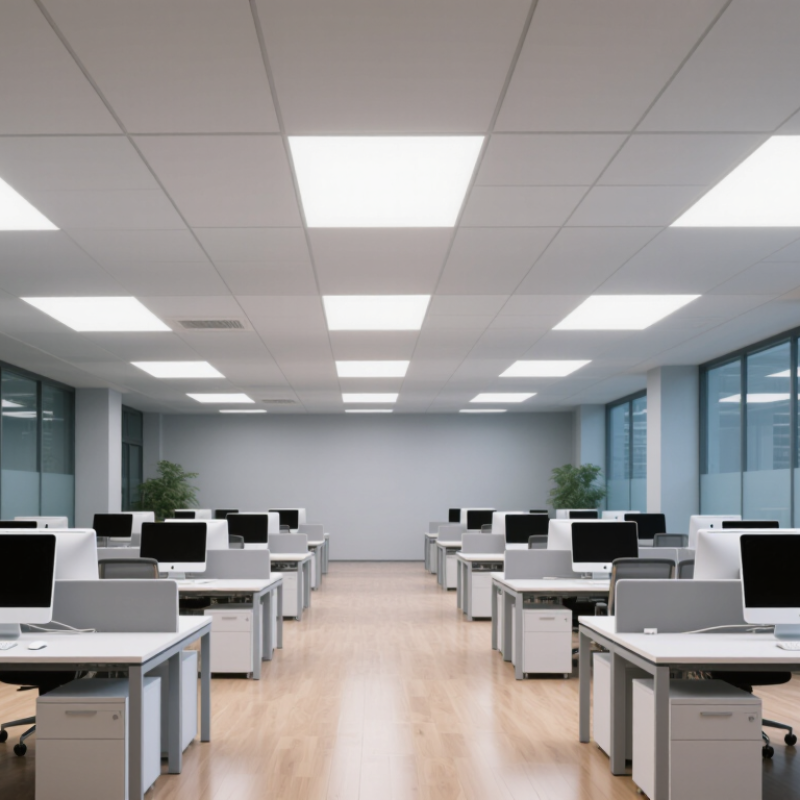
What Is the UGR Rating for Office Panel Lights?

Understanding UGR and Its Role in Office Lighting

Unified Glare Rating, or UGR, describes discomfort glare from indoor lighting. It is not a brightness score or a fixed feature of one office panel. The result depends on the panel’s visible luminance, room surfaces, layout, and the observer’s viewing position.

A panel may feel comfortable from a desk but distracting when someone looks toward it across the room. Small details matter.

For office lighting, designers often use UGR 19 or lower as a target for computer-based work. Treat this as a planning guide, not a guarantee. A rating calculated for one room may not match another room with different ceiling height, desk positions, or screen angles.

High-gloss desks and bright windows can also add visual discomfort. Even a good number can mislead. Real rooms are imperfect, and calculations depend on their assumptions.

Tips: Check the lighting layout, not just the panel specification. Sit at a typical workstation and look toward the ceiling and screen. Notice reflections, squinting, or bright spots near your field of view. If glare remains, adjust panel positions or use suitable diffusers, then reassess the room.

How the UGR Rating Is Calculated for Panel Lights

The Unified Glare Rating (UGR) estimates discomfort glare from luminaires within a specific room and viewing position. It is calculated using luminaire luminance, background luminance, apparent source size, and the observer’s position. The commonly used equation is

UGR = 8 log100.25/Lb × Σ(L²ω/p²).

Here, L is luminaire luminance, Lb is background luminance, ω is the luminaire’s solid angle, and p is the position index. Higher visible luminance generally increases the calculated rating.

For panel lights, designers use photometric data and room details rather than judging the panel alone. Ceiling height, panel spacing, room dimensions, and surface reflectances all affect the result. The calculation also considers the observer’s direction and location, such as someone seated at a desk looking toward a screen. A panel may produce different UGR values in different layouts. That detail is easy to overlook. A single product number can therefore be misleading unless its test conditions are known.

Tips: Check the manufacturer’s UGR table or verified lighting calculation for your room layout. Compare the stated observer positions and ceiling conditions with your own space. If no calculation is available, treat a claimed UGR value cautiously; it may not represent your actual desk view.

What Different UGR Values Mean for Visual Comfort

What Different UGR Values Mean for Visual Comfort

UGR, or Unified Glare Rating, estimates discomfort glare from a lighting installation. It is not a percentage, and it cannot guarantee that every person will feel comfortable. CIE 117:1995 describes the calculation, considering factors such as luminaire brightness, room surfaces, and the viewer’s position. Common rating steps include 16, 19, 22, and 25. Lower is gentler. A rating of 16 indicates less predicted discomfort than 22 under comparable conditions. Yet a bright panel directly in your line of sight can still feel unpleasant.

For office work, the number has practical meaning. EN 12464-1:2021 sets a UGR limit of 19 for typical tasks such as reading, writing, and computer work; technical drawing has a stricter limit of 16. A value of 22 may suit circulation areas better than a desk, while 25 suggests greater glare and is generally less suitable for sustained screen work. These are design limits, not promises of comfort. Screen angle, daylight from a nearby window, and glossy desk surfaces can change what workers actually experience. That part is easy to overlook. Check the luminaire’s UGR table for the intended room layout, then assess the space from seated eye level.

What Is the UGR Rating for Office Panel Lights? - What Different UGR Values Mean for Visual Comfort

UGR value General interpretation Likely visual comfort Relevance to office panel lighting
10 Very low discomfort-glare rating Glare is generally unlikely to be a concern under the assessed conditions. A low value may be desirable for visually demanding work, but the result depends on the room and lighting layout.
13 Low discomfort-glare rating Typically indicates limited discomfort glare in the evaluated viewing directions. Can be a useful target where glare sensitivity or demanding visual tasks are a concern.
16 Moderate, commonly used glare limit for demanding tasks Usually represents controlled glare when the installation is designed appropriately. May be specified for tasks requiring greater visual precision; check the applicable lighting standard and task category.
19 Common maximum glare limit for many office tasks Generally considered an appropriate limit for typical office work when other lighting requirements are also met. A frequently used UGR limit for offices, including reading, writing, and screen-based work. It is a design limit, not a guarantee of comfort for every person.
22 Higher discomfort-glare rating Glare may be more noticeable, particularly for sensitive users or unfavourable viewing directions. Often higher than the usual limit for general office work; review carefully before using in desk areas.
25 High discomfort-glare rating Bright luminaires are more likely to cause noticeable discomfort in relevant viewing conditions. Generally not a preferred target for routine office desk lighting.
28 Very high discomfort-glare rating Discomfort glare is more likely to be apparent in the assessed installation. Usually unsuitable as a target for workstations requiring sustained visual tasks.

Important: UGR (Unified Glare Rating) estimates discomfort glare for a specific lighting installation and viewing position. It is not a fixed property of an office panel light alone. The calculated value depends on factors such as luminaire luminance and position, room dimensions, surface reflectances, and the observer’s line of sight. For office design, confirm the required UGR limit for the task and verify it using the appropriate lighting calculation or manufacturer photometric data.

Factors That Affect UGR in Office Panel Lighting

What Is the UGR Rating for Office Panel Lights?
Factors That Affect UGR in Office Panel Lighting

UGR, or Unified Glare Rating, estimates discomfort glare in a specific room and viewing position. It is not a fixed score for a panel light alone. Panel luminance matters: a bright, exposed diffuser can feel uncomfortable when viewed directly, especially during screen work. The observer’s position and direction of gaze also affect the result. Small changes matter.

Room layout shapes glare, too. Ceiling height, panel spacing, and the distance between lights and desks influence what people see in their normal line of sight. Pale walls and ceilings reflect more light, while darker finishes absorb more. Daylight from windows can add contrast and make glare more noticeable at certain times. A calculation based on the wrong room dimensions may look precise but give misleading guidance. Check the actual space after installation; the calculation cannot capture every user’s experience.

Tips: Review UGR data alongside the luminaire’s photometric files, and use a calculation based on the planned layout. Place panels outside direct sightlines where practical. If staff still squint or shift their screens, reassess the arrangement and lighting levels.

What Is the UGR Rating for Office Panel Lights?

Typical UGR limits for selected office tasks. Lower UGR limits indicate stricter glare-control requirements.

What affects UGR? The result depends on the luminance and apparent size of the luminaires, their positions in the observer’s field of view, background luminance, and room geometry and reflectance. A panel light does not have one fixed UGR value: it must be evaluated for a specific room layout and viewing position.

The bars show typical UGR limit values (UGRL) for task areas, not measured ratings for particular panel lights. Reference: EN 12464-1, indoor workplace lighting.

How to Choose Office Panel Lights with a Suitable UGR Rating

What Is the UGR Rating for Office Panel Lights?

How to Choose Office Panel Lights with a Suitable UGR Rating

UGR, or Unified Glare Rating, describes how uncomfortable glare may feel in a room. For many office tasks, UGR 19 or lower is commonly specified. However, this number is not a fixed score for every panel in every room. The result depends on the luminaire, room dimensions, surface reflectance, installation height, and viewing direction. That matters.

Check the manufacturer’s UGR table, not just a product-page claim. Tables usually assume specific room sizes, ceiling heights, and panel spacing. Compare those conditions with your actual layout. A panel may meet a low-glare target in one arrangement but perform differently above a desk row or beside a bright window. Confirm that the data applies to your planned installation.

Look beyond the rating, too. A well-shielded diffuser can reduce bright spots in your field of view, while poorly positioned panels may reflect across monitor screens. Consider desk locations, screen angles, ceiling height, and the room’s finish colors. If possible, review a lighting plan or test a sample in the space. Small rooms can be tricky. UGR tables simplify real conditions, so treat them as useful guidance, not a guarantee of visual comfort.

FAQS

What does UGR measure in office lighting?

UGR estimates discomfort glare from indoor lighting. It is not a brightness score or a fixed panel rating.

Is UGR 19 or lower always comfortable?

It is a common planning target for computer-based work, not a guarantee. A desk may still face reflections or bright spots.

Why can one panel have different UGR results?

The result depends on room dimensions, ceiling height, panel spacing, surfaces, and viewing position. One number cannot describe every desk.

How is UGR calculated?

The calculation considers luminaire luminance, background luminance, apparent source size, and the observer’s position. Room data matters.

Can a lighting calculation miss real glare?

Yes. It relies on assumptions and may not capture every user’s experience. A precise-looking result can still mislead.

How do windows and room surfaces affect glare?

Bright windows can increase contrast, while glossy desks may create reflections. Pale ceilings and walls reflect more light than darker finishes.

What should I check at a workstation?

Sit at a typical desk and look toward the ceiling and screen. Notice squinting, reflections, or bright spots near your view.

What can I change if glare remains?

Review panel positions and consider suitable diffusers. Then reassess the room from actual desks. Small changes matter.

Conclusion

Understanding what is the UGR rating for office panel lights helps explain how lighting can affect visual comfort. UGR, or Unified Glare Rating, estimates the discomfort glare people may experience from bright light sources in a specific room. It is not a measure of brightness alone: the result depends on the panel’s luminance and position, the viewer’s direction, and the room’s dimensions and reflective surfaces. Lower values generally indicate less glare, while higher values suggest a greater chance of visual discomfort.

When selecting office panel lights, consider the tasks performed and the overall lighting layout rather than relying on a single number. Screen work and other visually demanding activities often benefit from controlled glare, but the best choice also depends on ceiling height, panel spacing, surface finishes, and how people use the room. Compare UGR information under relevant installation conditions, and pair suitable panels with thoughtful positioning and balanced ambient lighting to support a comfortable workspace.

Amelia

Amelia

Amelia is a seasoned marketing professional with a wealth of expertise in our company’s core offerings. With an unwavering passion for driving growth and innovation, she plays a pivotal role in shaping our marketing strategies and enhancing brand visibility. A key aspect of her responsibilities......