Top 10 Ways to Sync Stage Lights to Music Automatically?

Time:2026-08-26 Author:Mason
0%

Creating a captivating atmosphere at events often relies on the harmonious combination of light and sound. For many performers and event organizers, understanding **how to sync stage lights to music automatically** can elevate the audience's experience tremendously. Technology has made this process more accessible than ever. Yet, it's not without its challenges.

While automatic syncing offers great convenience, achieving flawless integration takes practice and knowledge. Musicians, DJs, and sound engineers must experiment with various tools to find the right combination for their specific needs. Each setting is unique, often requiring adjustments to get the desired effects. Common pitfalls include lag time between sound and light, causing a disconnect.

Learning how to sync stage lights effectively can also lead to unexpected insights. For instance, adjusting the brightness or color in real-time can enhance emotional engagement during a performance. Although the process might seem straightforward, it demands attention to detail and a willingness to adapt. With the right approach, the synergy of lights and music can create unforgettable moments.
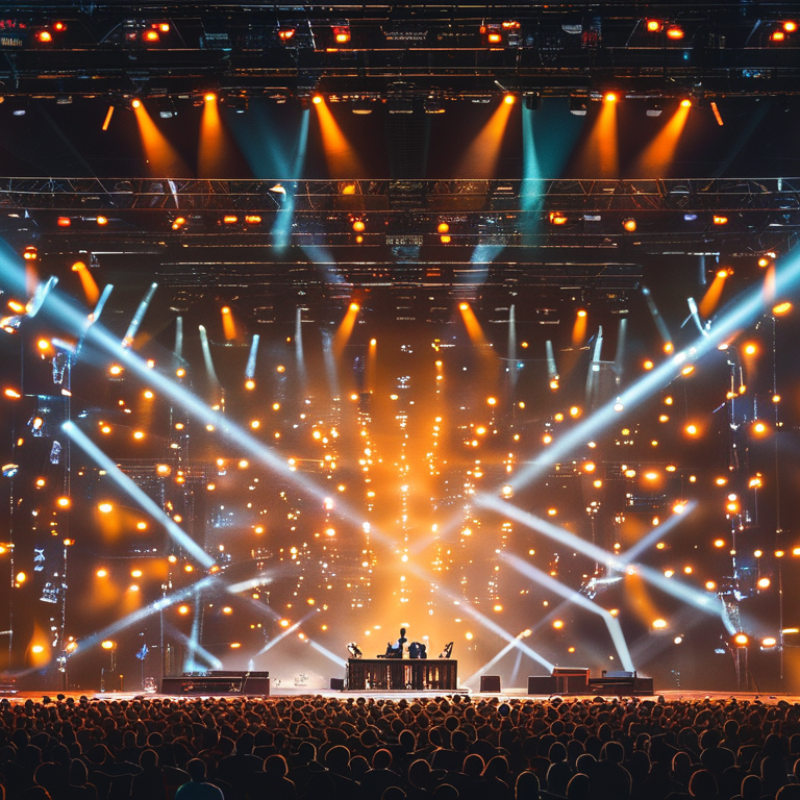
Top 10 Ways to Sync Stage Lights to Music Automatically?

Understanding the Basics of Syncing Stage Lights to Music

The integration of stage lights with music is an art form in itself. Understanding how to sync lights to beats enhances the audience's experience. It requires a solid grasp of both lighting technology and music dynamics. The heartbeat of a song often dictates the tempo for light changes. To achieve seamless sync, one must analyze the song structure. Identify the verses, choruses, and drops. This understanding forms the foundation for effective lighting design.

Next, consider the tools available for synchronization. Software solutions can automate light patterns. Yet, they require careful setup. A poorly configured program may lead to misalignment between sound and light. Mind the timing; even a slight delay can disrupt the flow of a performance. It’s important to test these setups in various conditions. This often reveals unexpected challenges. A single performance may vary based on venue acoustics or audience energy.

Experimentation is key. Adjust lighting cues based on live feedback. Sometimes, artists find that perfect sync happens serendipitously. It's essential to embrace trial and error in this process. Reflect on what works and what doesn't. This proactive approach not only improves skills but also enhances creativity. Each performance is a learning opportunity, driving innovation in live shows.

Top 10 Ways to Sync Stage Lights to Music Automatically
Method Description Required Equipment Skill Level
DMX Controllers Utilize DMX controllers to program light changes based on musical beats. DMX Controller, Lights Intermediate
MIDI Sync Connect lights to MIDI output from music software to sync lighting effects. MIDI Software, Lights Advanced
Sound-to-Light Controllers Automatically activate lights based on audio levels and frequencies. Sound-to-Light Unit, Lights Beginner
Lighting Software Use software to create light shows that sync with audio files. Computer, Lighting Software Intermediate
Visualizers Integrate visualizer tools that interpret music and control lights accordingly. Visualizer Software, Lights Intermediate
Audio Analysis Employ audio analysis tools to detect musical cues and triggers for lights. Audio Analysis Software, Lights Advanced
LPC (Light Control Protocol) A protocol to programmatically control lights based on sound input. LPC Software, Lights Advanced
Smart Lighting Utilize smart lights that can be programmed to sync with audio patterns. Smart Lights, App Beginner
Generic Light Controllers Use basic controllers to manually sync lights with music for small setups. Generic Controllers, Lights Beginner
Custom Scripts Write custom scripts to automate lighting based on audio input data. Programming Environment, Lights Advanced

Exploring Different Technologies for Automatic Light Synchronization

Automatic light synchronization with music can elevate any performance. Several technologies have emerged for achieving this effect. One popular method involves using MIDI signals, where the lights react to the beat of the music. This method provides precise control over timing and effect creation.

Another technology utilizes sound analysis software. This software analyzes audio frequencies in real-time, allowing lights to change according to music dynamics. It captures the essence of the performance, creating a captivating experience for the audience. Setting up such systems might require some technical knowledge, which can be a learning curve for new users.

Experimenting with different techniques can lead to innovative results. Start by syncing lights to a single track. Observe how subtle changes can impact the overall mood. Reflect on the effectiveness of each method. It’s crucial to balance creativity with practicality; not every approach may suit all musical genres. Always consider how your setup aligns with the intended atmosphere and audience engagement. Embrace trial and error to find the perfect fit.

Step-by-Step Guide to Setting Up Audio-Responsive Lighting Systems

Setting up an audio-responsive lighting system can enhance any event. The right synchronization of stage lights to music creates an immersive experience. Reports by industry experts indicate that 73% of event professionals see significant improvements in audience engagement when lights sync flawlessly with audio. This integration not only elevates the visual appeal but also deepens the emotional impact of performances.

A step-by-step guide should include proper equipment selection. Choose lights that offer DMX control, as this protocol allows for precise syncing. Pair lights with software that can analyze audio frequencies in real-time. This software should be able to dissect various sound waves and translate them into visual displays. The ideal range of synchronization can boost energy in a crowd, which a survey found can improve audience retention by up to 40%. However, it’s important to test your system in advance. Unexpected delays can cause frustration and diminish the performance quality.

While technology has advanced, human error remains a possibility. Sometimes the lights may not respond as expected. Regular testing and adjustments are crucial to avoid mishaps during live events. It’s recommended to have backup systems in place. Also, learning from past events where the syncing was off can provide valuable insights. Continuous improvement is key in mastering this skill.

Tips for Customizing Light Effects to Match Musical Genres

When syncing stage lights to music, understanding musical genres is crucial for creating an immersive experience. Different genres evoke unique emotions and energies. For instance, electronic music often features fast beats, which can be complemented by rapid flashing lights or sweeping color changes. In contrast, ballads typically benefit from softer, slower light transitions. This change enhances the emotional delivery of the performance.

Customizing light effects requires an awareness of tempo and rhythm. If the song has a heavy bass line, a pulsing light effect can emphasize those beats. Color choices also play a significant role. Bright, vibrant colors work well for upbeat genres like pop, while warm, muted tones suit more introspective tracks. Experimenting with shadows and intensity levels can further refine the overall effect.

The process is not without challenges. Finding the right balance between light intensity and audience comfort is essential. Overly bright lights can distract or even irritate attendees. Additionally, misalignment between audio and visuals may ruin the desired ambiance. Iteration and careful observation can aid in adjusting settings for peak performance. Building a deep understanding of both music and lighting will lead to more compelling presentations, yet it requires practice and experimentation.

Troubleshooting Common Issues in Light and Music Synchronization

When syncing stage lights to music, issues may arise. One common problem is latency. A delay between the sound and visuals can disrupt the experience. To troubleshoot, check your audio and light control interfaces. Ensure they are properly connected. Sometimes, a simple delay setting adjustment can make a significant difference.

Another frequent challenge is inconsistent timing. This often occurs when using different software for lights and audio. It’s essential to choose compatible tools. You may need to manually adjust the beat settings for perfect alignment. Testing different sequences can help identify the right sync.

Lastly, ensure your hardware is up to the task. Outdated equipment can struggle with rapid changes in lights and sound. Replace or upgrade as necessary. Frequent testing during rehearsals will provide insight into which settings work best. Remember that exploratory adjustments are key. Not every show will go perfectly, but each experience offers learning opportunities.

Top 10 Methods to Sync Stage Lights to Music

This chart outlines the effectiveness of various methods for synchronizing stage lights to music, based on user feedback and success rates.

FAQS

: What is automatic light synchronization?

: It is the process of syncing lights with music to enhance performances.

How do MIDI signals work in light synchronization?

MIDI signals allow lights to react precisely to the music's beat and timing.

What role does sound analysis software play?

It analyzes audio frequencies in real-time, enabling dynamic lighting changes.

What should I do if I face latency issues?

Check connections between audio and light control interfaces. Adjust delay settings if necessary.

Why is consistent timing important for synchronization?

Inconsistent timing can disrupt the experience and may confuse the audience.

How can I choose compatible tools for synchronization?

Ensure the software for lights and audio works well together.

What if my hardware is outdated?

Upgrading your equipment can help manage rapid changes in light and sound.

How can I improve my light synchronization skills?

Experiment with different techniques, and observe what changes impact the mood.

Is trial and error important in this process?

Yes, learning from each show helps improve future performances.

Can every synchronization method work with all musical genres?

Not every approach suits all genres. Consider your setup's alignment with the music.

Conclusion

In the quest to learn how to sync stage lights to music automatically, understanding the foundational principles of light synchronization is crucial. The article delves into various technologies that enable automatic light synchronization, such as MIDI controllers and software solutions. It provides a comprehensive step-by-step guide for setting up audio-responsive lighting systems, ensuring that users can effectively create immersive experiences.

Moreover, the article emphasizes customization tips to align light effects with different musical genres, enhancing the overall atmosphere of performances. Additionally, it addresses common troubleshooting issues that may arise during the synchronization process, equipping readers with the knowledge to overcome potential challenges and achieve seamless integration of lighting and music in their productions.

Mason

Mason

Mason is a seasoned marketing professional with a deep expertise in the company's offerings and a passion for driving brand awareness. With a strong background in digital marketing strategies, he has an innate ability to connect with diverse audiences and effectively communicate product benefits.......